Pick one photo where the whole family is already together, attach it in Lumia’s chat and ask for a Christmas scene while keeping everyone exactly as they are. Then sharpen it, check it has enough pixels for your card size, and print one test copy before you order the rest.
What you need
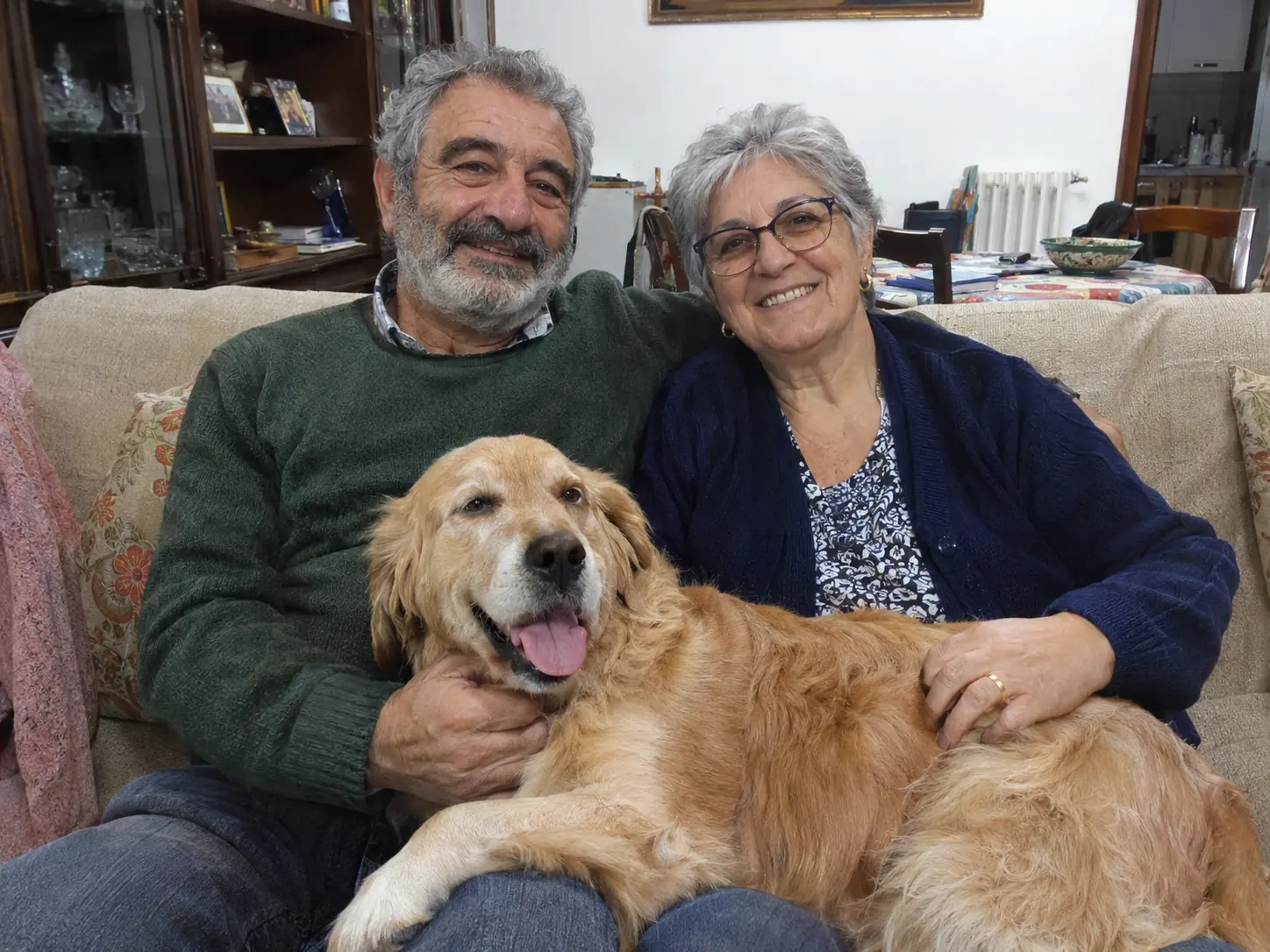
- One photo with everyone in it. Chat takes at most two photos per request: the one you edit and, if you want, one reference. So start from a shot where the whole family, pets included, is already in the frame.
- Sharp and front-lit. Light from a window or lamp in front of you beats a bright window behind you.
- Every face fully visible. No one half-hidden behind a shoulder, no sunglasses, no one turned away.
- People who said yes. Your own family, or people who agreed to the edit.
A messy room is fine. That is exactly what the edit replaces.
How to do it in Lumia
- Open the chat and attach your family photo. Chat needs you to be signed in. The empty screen asks “What should we create?”. Attach the photo and describe the card scene in your own words, or copy one of the requests below.
- Ask for ideas if you are stuck. Chat can suggest styles as well as make the edit. You can also tap Holiday portrait in the styles row and see what it does with your photo.
- Check every face before you go further. Zoom in on each person and the pet. If someone looks different, say so in chat, or start again from the original photo.
- Clean it up for print. Tap Edit on the result you like and run AI Enhance (Local mode is free; the cloud mode uses credits). Then open Upscale: “Fast (Lanczos)” gives 2x or 4x for free, “AI (On-device)” gives 2x for free and works offline, and “AI (Server)” gives 2x, 3x or 4x with credits.
- Check the size, then print one test. Tap Save (“Saved to Photos”), open the picture in Photos and swipe up to see its width and height in pixels. Multiply each side of your card in inches by 300: a 7 x 5 inch card needs about 2100 x 1500 pixels, a 6 x 4 inch card about 1800 x 1200. Epson recommends 300 to 360 dpi and says close-up viewing needs the higher end, and a card is held in the hand. If you are short, go back and upscale 2x or 4x. Add your greeting in your print service’s card designer, then print one copy at home or order a single proof.
Requests to copy
Every request follows one formula: the action + what changes + the look + what must stay the same. The last part matters most on a family card. Name every person and the pet, and say “exactly the same”.
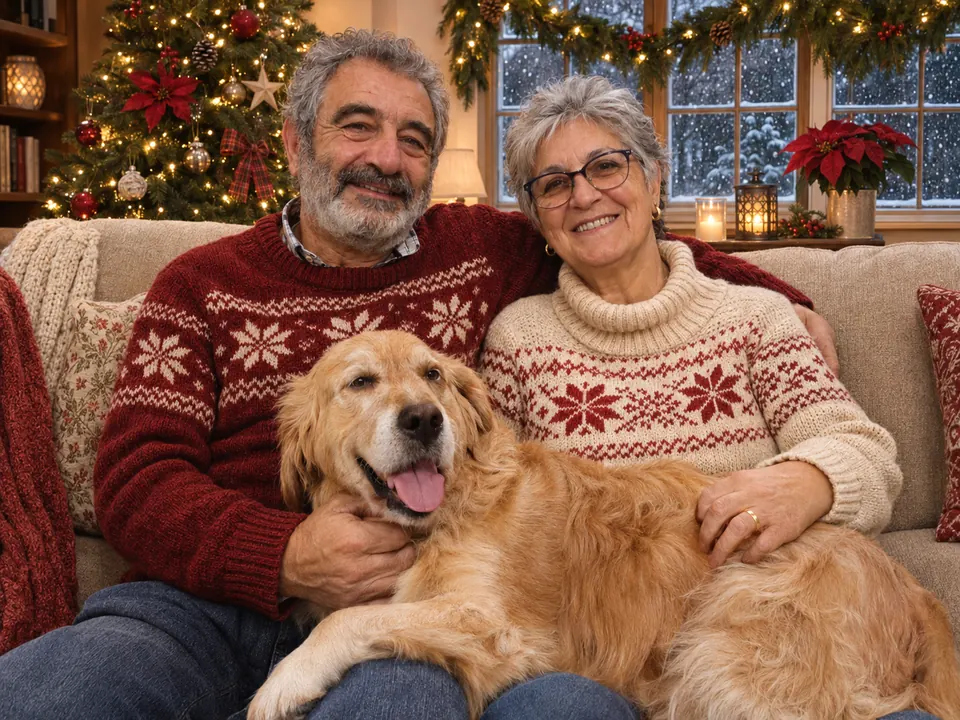
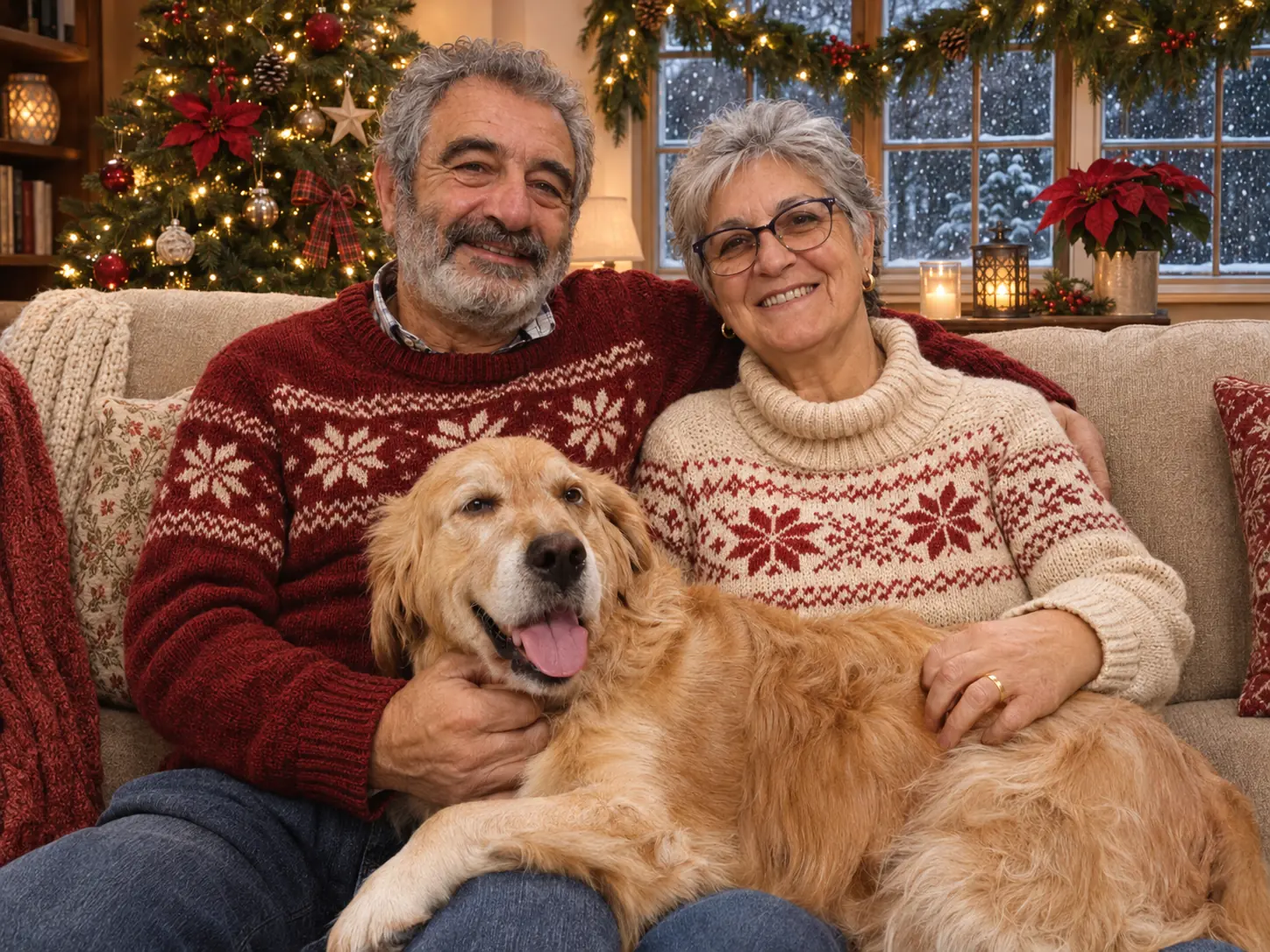
Turn our living room into a cosy Christmas living room with a lit Christmas tree beside the sofa, snow falling outside the window and festive knit sweaters on both of us. Keep our faces, hair, expressions and the dog exactly the same.
The example at the top of this page shows this request.
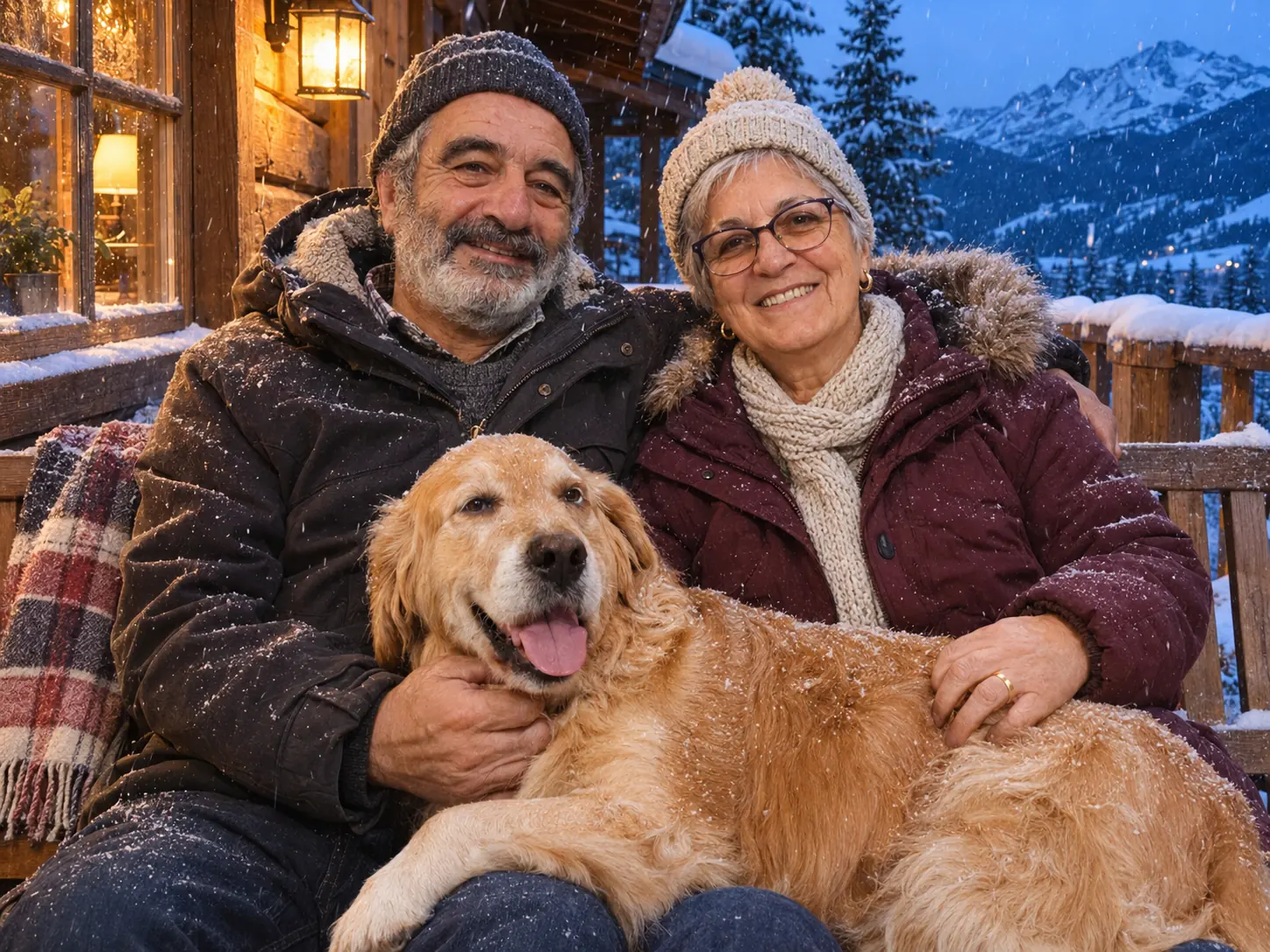
Move us and the dog to a wooden bench on a snowy cabin porch at blue hour, with warm porch lights and snow on the railings. Keep our faces, hair, expressions and the dog exactly the same.
Keep this Christmas scene, but leave a plain, calm area of wall above our heads where I can add a greeting later. Keep both of us and the dog exactly the same.
Suggest a few Christmas card looks for this photo that would suit a printed 7 x 5 card, before you change anything.
Refine it
Change one thing per message. If you ask for three changes at once, it is hard to tell which one moved a face.
Make the tree lights warmer and a little softer. Change nothing else.
Change only the sweaters to plain dark green with a small white pattern.
Make the snow outside the window a little heavier. Keep everything else the same.
Every version stays in History, so you can come back to the one you like after the test print.
Limits to know
- Results vary. The same request can give a different picture each time, and faces, hands or a pet’s markings can drift. Check every face at full size before you order 50 cards.
- Everyone must already be in the photo. With two photos per request at most, this works from one group shot. It is not a way to gather relatives from separate pictures.
- Upscaling adds pixels, not real detail. It helps a small file reach your card size, but a blurry original stays soft. A test print shows this better than a phone screen.
Before you share
France’s data-protection authority, CNIL, notes (in French) that publishing a montage made with someone’s image without their consent can be a criminal offence there.
FAQ
Can I ask for “Merry Christmas” on the picture?
You can, but AI image tools often misspell words or bend letters. Ask for empty space instead, then add the greeting in your print service’s card designer, where you choose the font and can check the spelling.
How many pixels do I need for a 7 x 5 inch card?
About 2100 x 1500 pixels at 300 pixels per inch, or 1500 x 2100 for an upright card. If your saved file is smaller, run Upscale at 2x or 4x and check the new size.
Is it free?
Lumia is free to download. AI tools use credits, while the on-device modes, such as Local AI Enhance and the free Upscale options, cost nothing. Saving or sharing a result may ask for a subscription or a one-time unlock; the App Store listing has the current details.
Can I add a relative who is not in the photo?
Not reliably. Chat takes at most two photos per request, and the best card starts from one shot with everyone in it. If someone is missing, take a quick new group photo, even an ordinary one.
Does it work with a photo that includes our pet?
Yes. Name the pet in your request, as in “keep the dog exactly the same”, and check its face and markings as closely as you check the people.